Calibration certificates, from work order to signed PDF.
IEPS calibrates and tests equipment for the oil and gas industry. We built the system its engineers use to issue every certificate, and the portal its clients download them from.
Reviewed, then approvedEvery certificate passes QA
Signed PDF and ExcelGenerated on the server
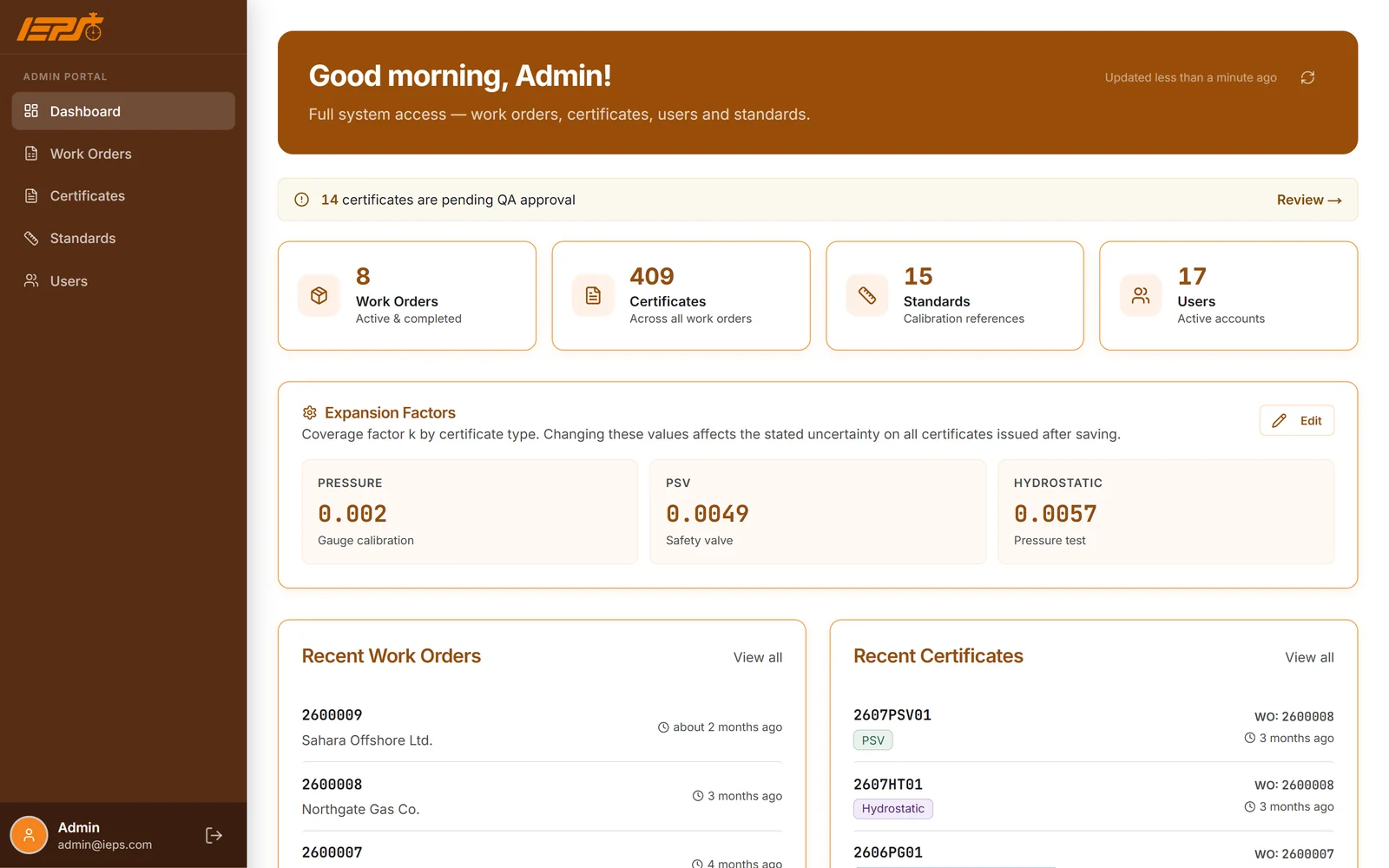
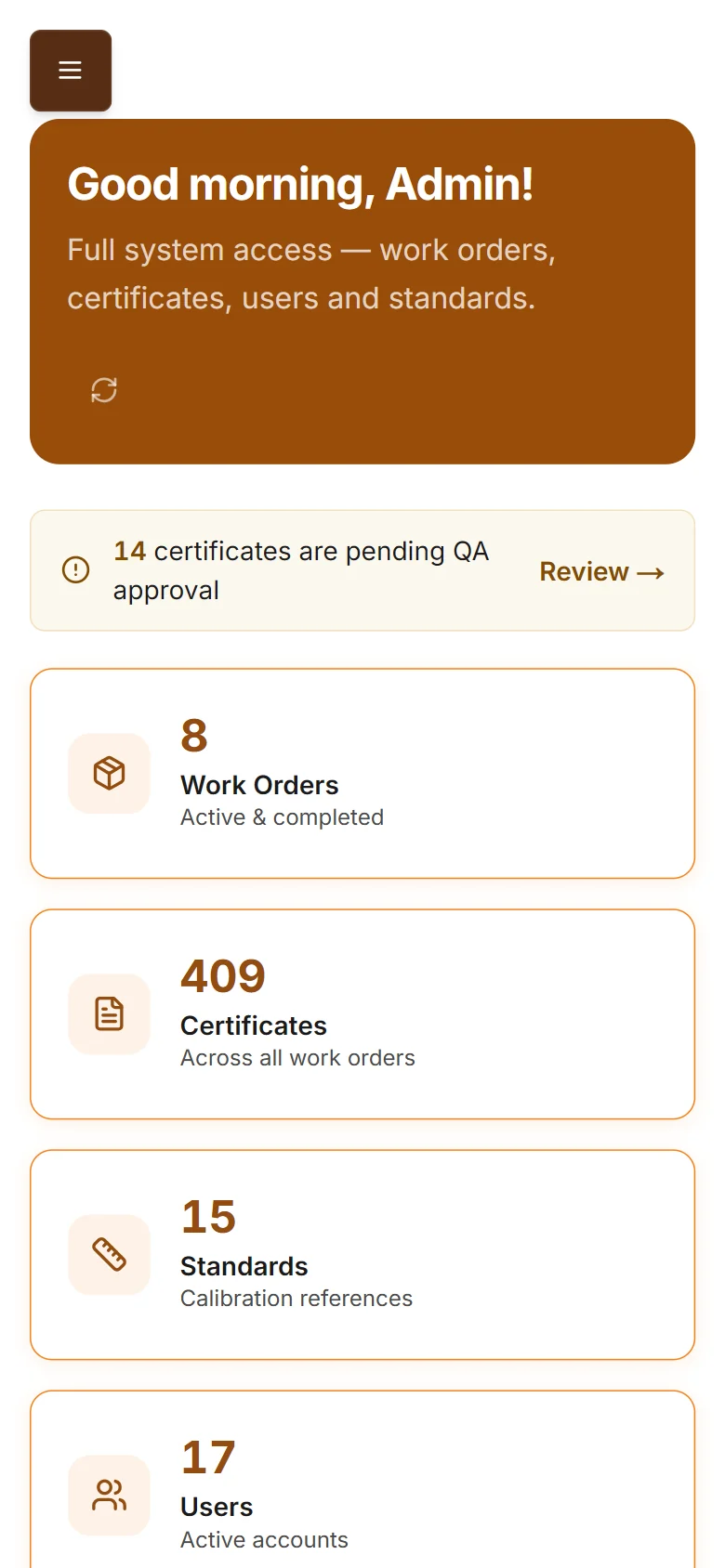
IEPS admin dashboard on desktop and phone. Names replaced.
4user roles
3certificate types
Server-generated PDF + Excel
Client portal
Before
Certificates made by hand.
Paper job cards
Each job started on a paper card, and its details were typed into a file later.
One Excel file at a time
Certificates were prepared in separate Excel files, one after another.
No portal for clients
Clients had no place to download their certificates themselves.
After
One system now carries each job from the work order to an approved, signed certificate, and every client downloads their own.
What we built
01
Every job belongs to a real client
A work order can only be opened for a registered client account, and the system generates its numbers.
Client picked from registered accounts
Work order and certificate numbers generated
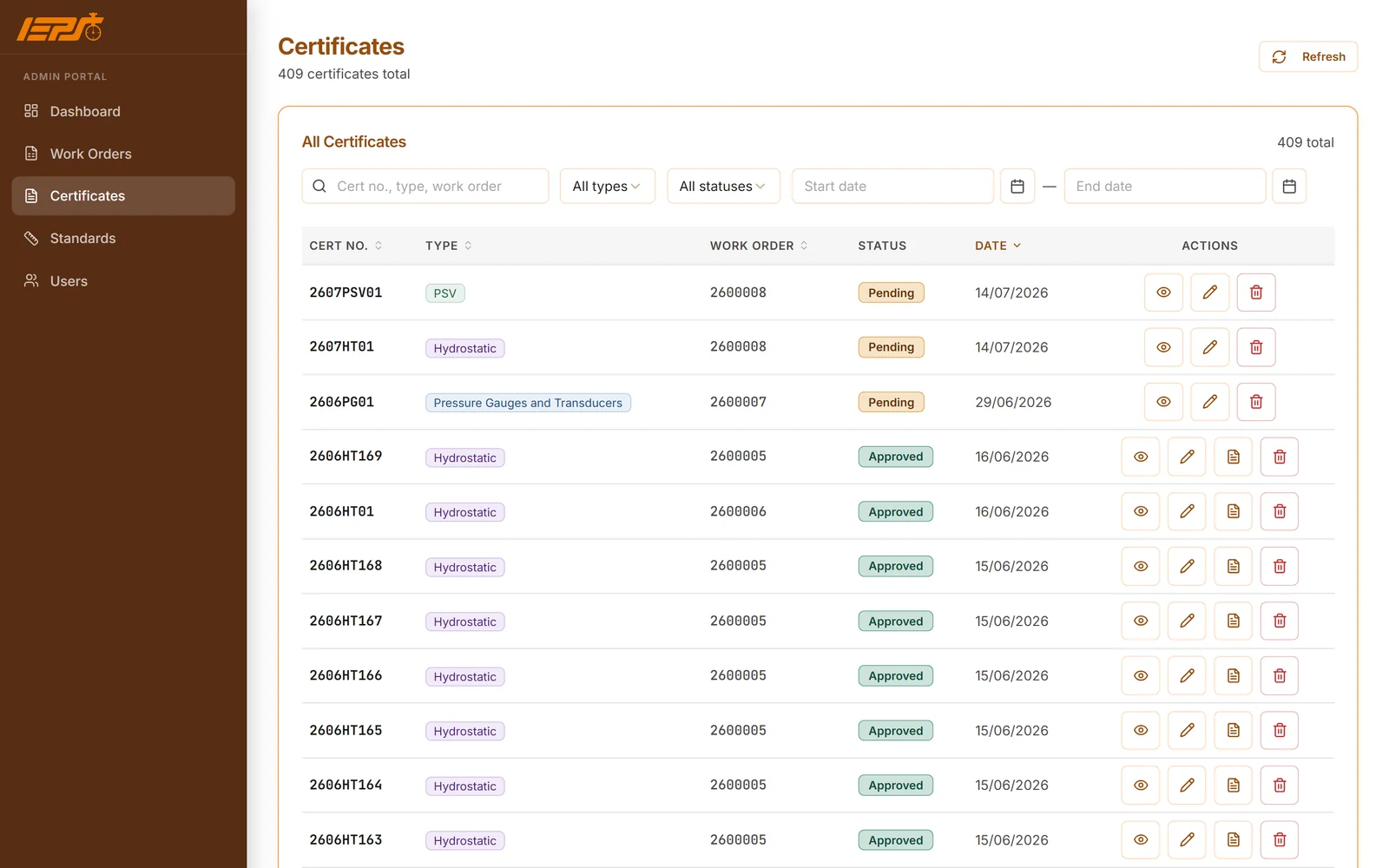
Search and filter by type, status and date
Admins can move a work order to another client
No typed-in customersEvery job tied to an account
Certificates list with type, work order, status and date. Names replaced.
02
Three certificate types, checked twice
Pressure gauge, safety valve and hydrostatic certificates are filled in step by step, and every field is checked in the form and again on the server.
Pressure gauges and transducers, safety valves and hydrostatic tests
Checked in the browser and again on the server
Reference standards from a built-in catalogue
bar, psi and MPa conversion
Test graph upload for hydrostatic tests
Checked twiceIn the form and on the server
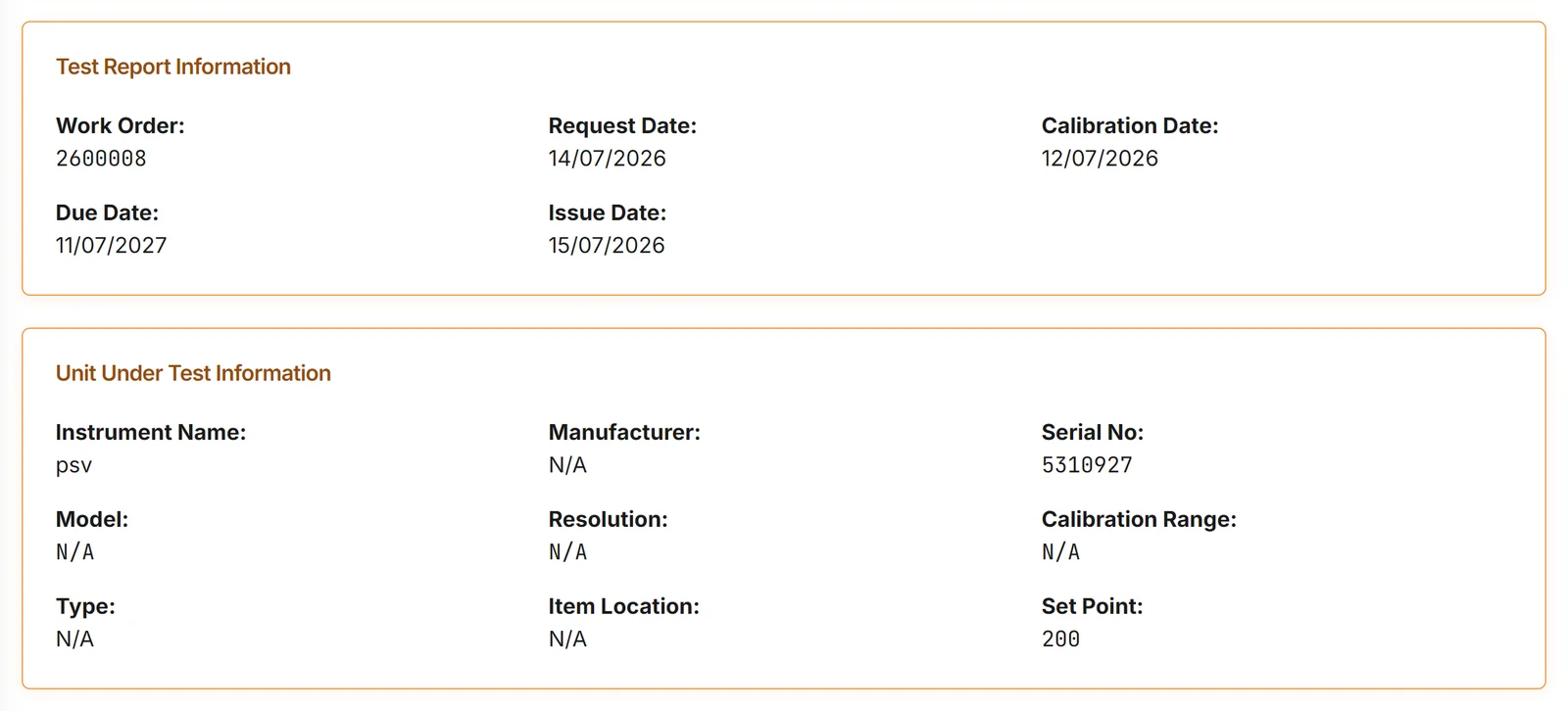
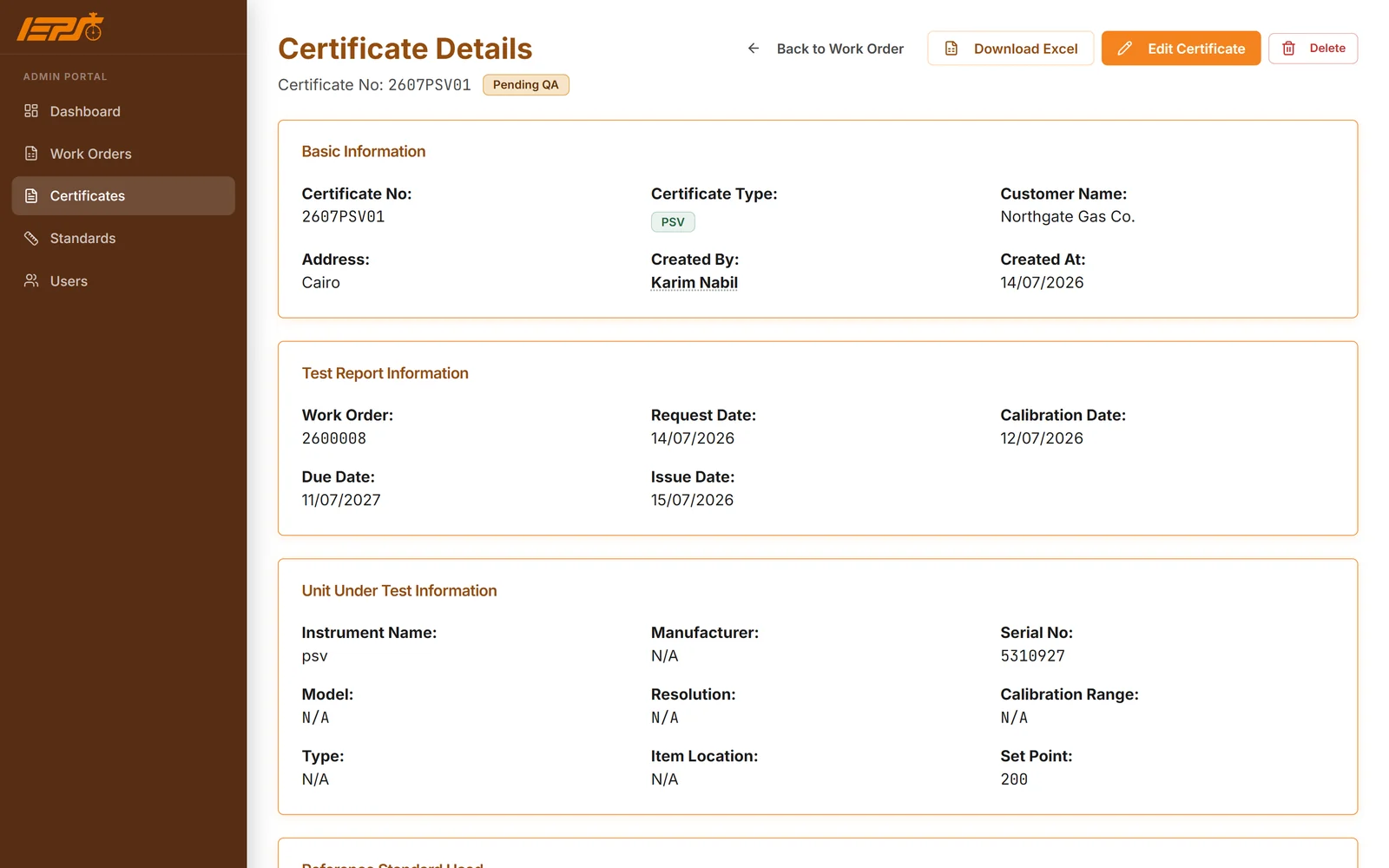
A safety valve certificate: test report and the unit under test.
03
QA approves before anything reaches a client
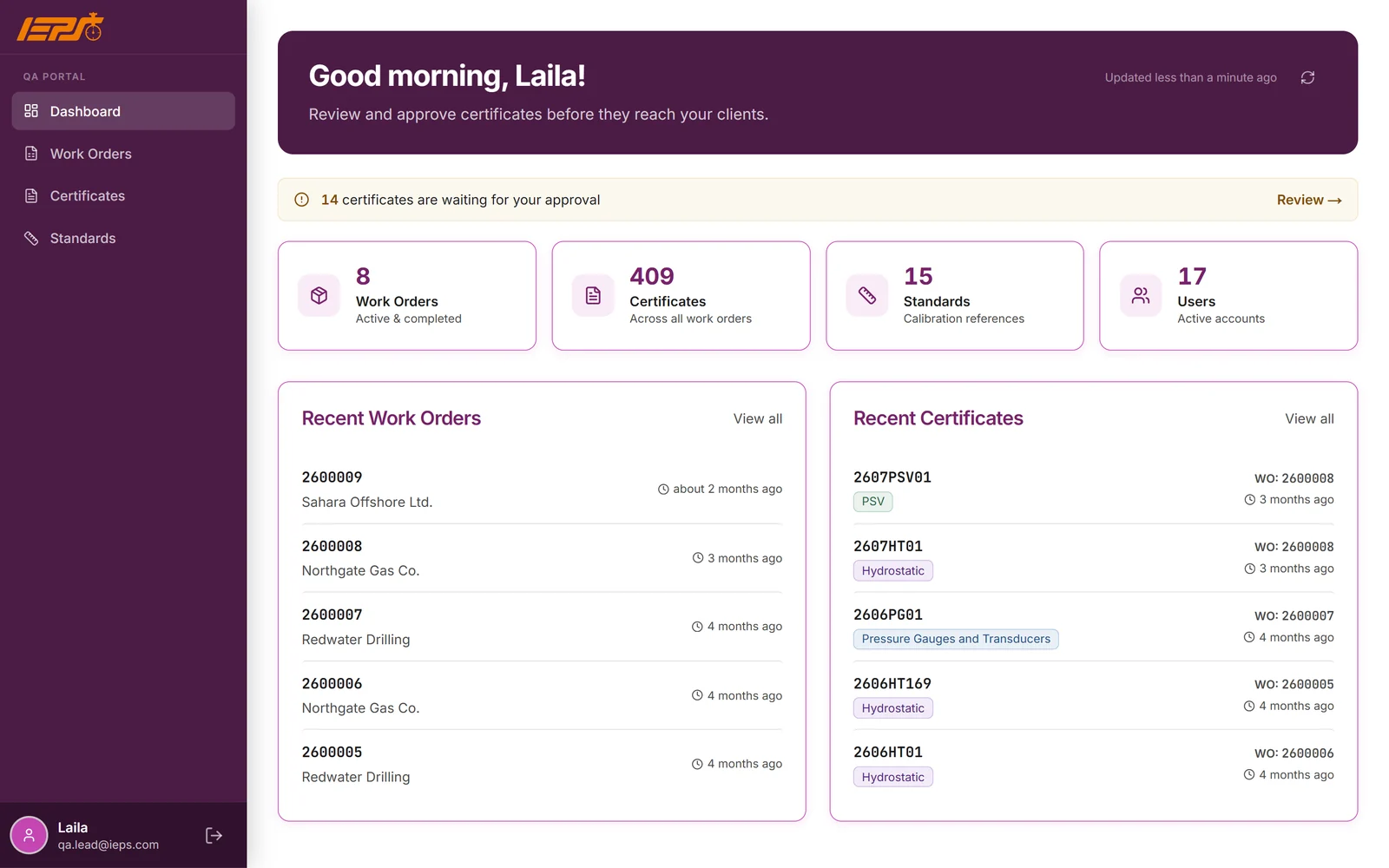
QA engineers see what is waiting, can correct a certificate, then approve it. Approval alone releases it to the client.
Pending-QA alert with a review link
QA can correct, then approve
Approval releases the certificate to the client
Coverage factors set once by the admin
The QA portal, in its own colour. Names replaced.
04
Signed PDF and Excel, in the client's portal
Every approved certificate becomes a PDF and an Excel file generated on the server, with the lab's signatures and stamps, ready in the client's own portal.
PDF and Excel generated on the server
The PDF follows the lab's Excel layout
Calibrated, reviewed and approved signatures, with stamps
Certificates cite ISO/IEC 17025
Clients see only their own approved certificates
Signed PDF and ExcelGenerated on the server
Certificate details and the personnel block. Names replaced.
How we worked
Diagnose
We started from the lab's own certificates: their layout, signatures, stamps and uncertainty statements.
Architect
Four roles, each with its own screens, and one rule: a certificate reaches a client only after QA approves it.
Build
Three certificate types as step-by-step forms, with PDF and Excel generated on the server in the lab's layout.
Operate
In 2026 we redesigned the whole interface in the lab's colours, with its own look for each role, and we keep improving it.
Today
IEPS runs its certificate work in the system, and its clients download their certificates from their own portal.