Product story · For auto service centres · Egypt

Every car, through ten steps, on one screen.

AutoQare is our system for auto service centres. Each car moves from reception to delivery through ten clear steps, ending in an invoice and a payment, in Arabic and English.

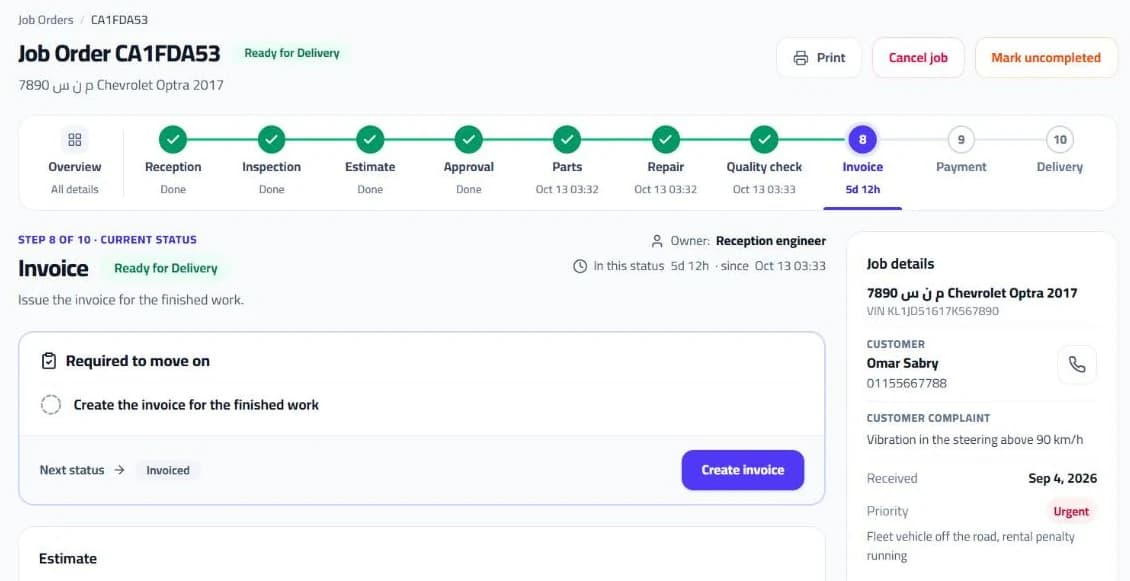
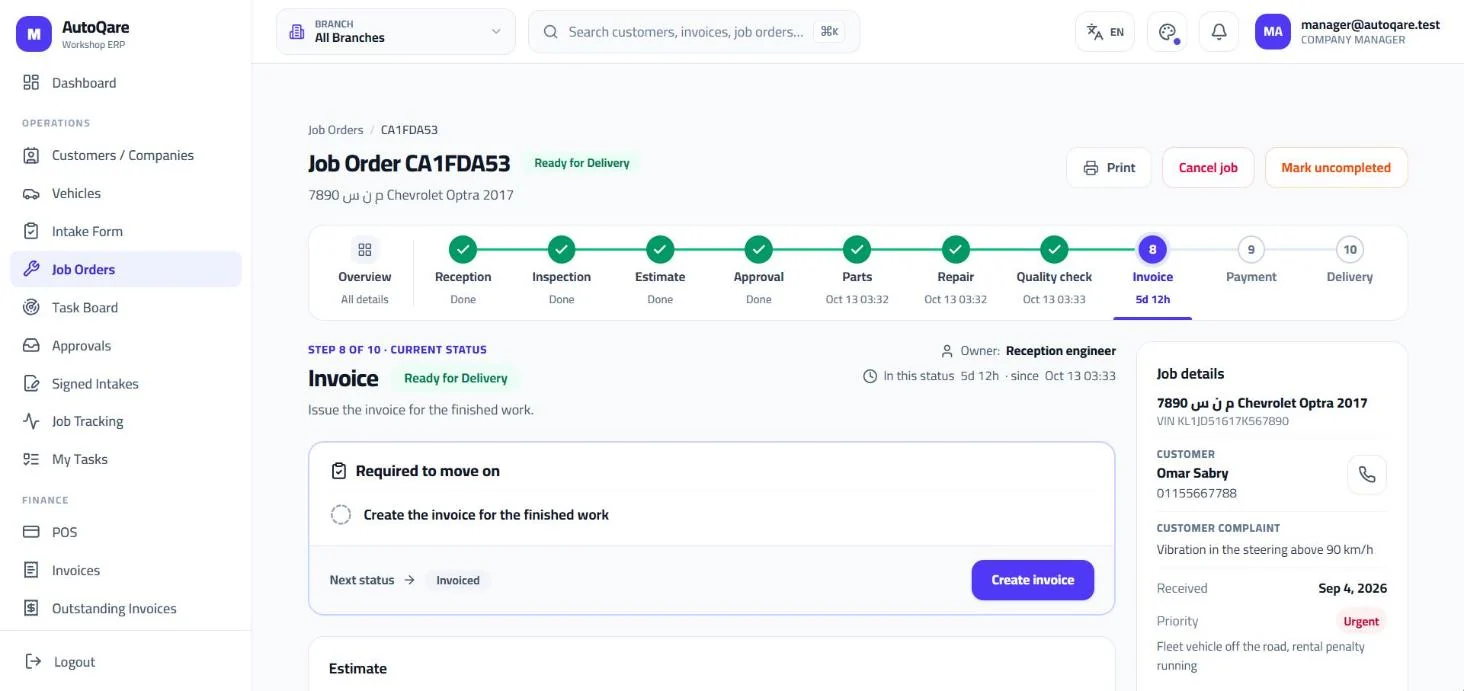
AutoQare job order at step 8 of 10, with the ten steps, the current status and what is required to move on
Step 8 of 10Required to move on: the invoice
Invoices with payment statusPaid, partial or unpaid
AutoQare, a job order at step 8 of 10

Before

Where is my car?

After

One job order follows each car from reception to delivery. Every step shows what is needed to move on, who owns it and how long it has waited.

What it does

Reception and intake

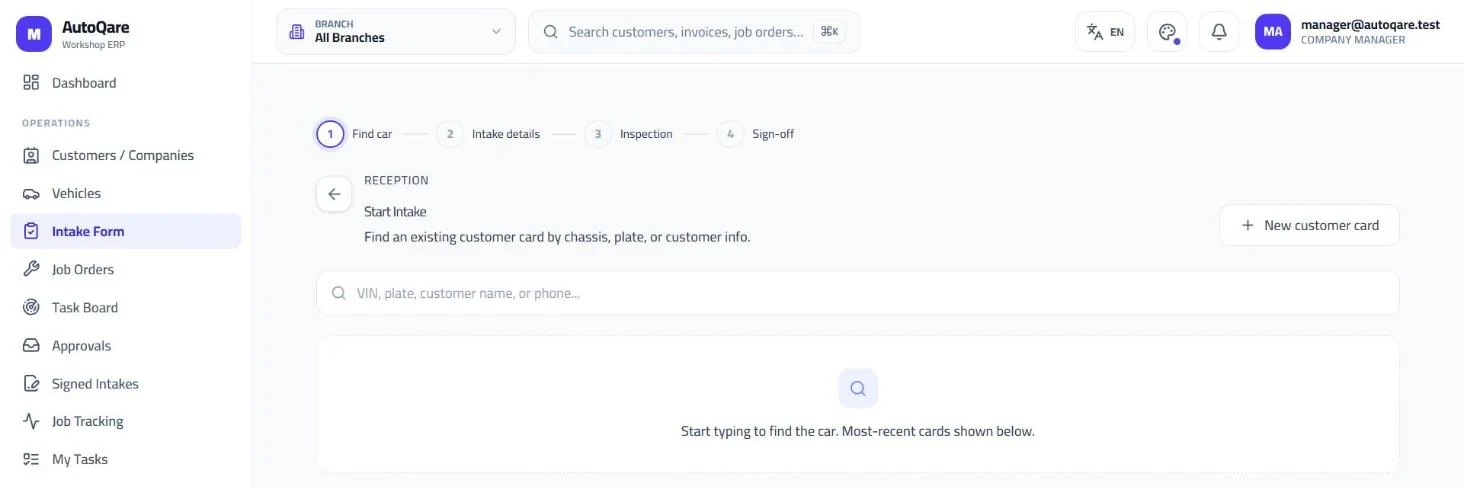
The receptionist finds the car by VIN, plate, name or phone and opens the intake in four steps, ending with the customer's signature.

  • Find a car by VIN, plate, name or phone
  • Four steps: find the car, details, inspection, sign-off
  • The customer signs at intake
  • Signed intakes kept on file
AutoQare intake, step 1 of 4: find the car by VIN, plate or customer details
Find by VIN or plateOr by the customer's name and phone
AutoQare, starting an intake

Ten steps, one job order

Every car moves from reception to delivery through ten steps. Each one shows what is required to move on, who owns it and the time in status.

  • Reception, inspection, estimate, approval, parts, repair, quality check, invoice, payment, delivery
  • What is required to move on
  • The step's owner and time in status
  • Priority: urgent, high or normal
AutoQare job order for a Chevrolet Optra at step 8 of 10, Invoice, with every step from reception to delivery and the job details
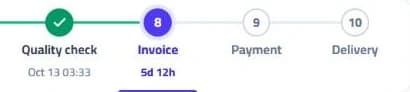
Close-up of the last four steps: quality check done, invoice as the current step, then payment and delivery
AutoQare, the ten steps of a job order

Every job at a glance

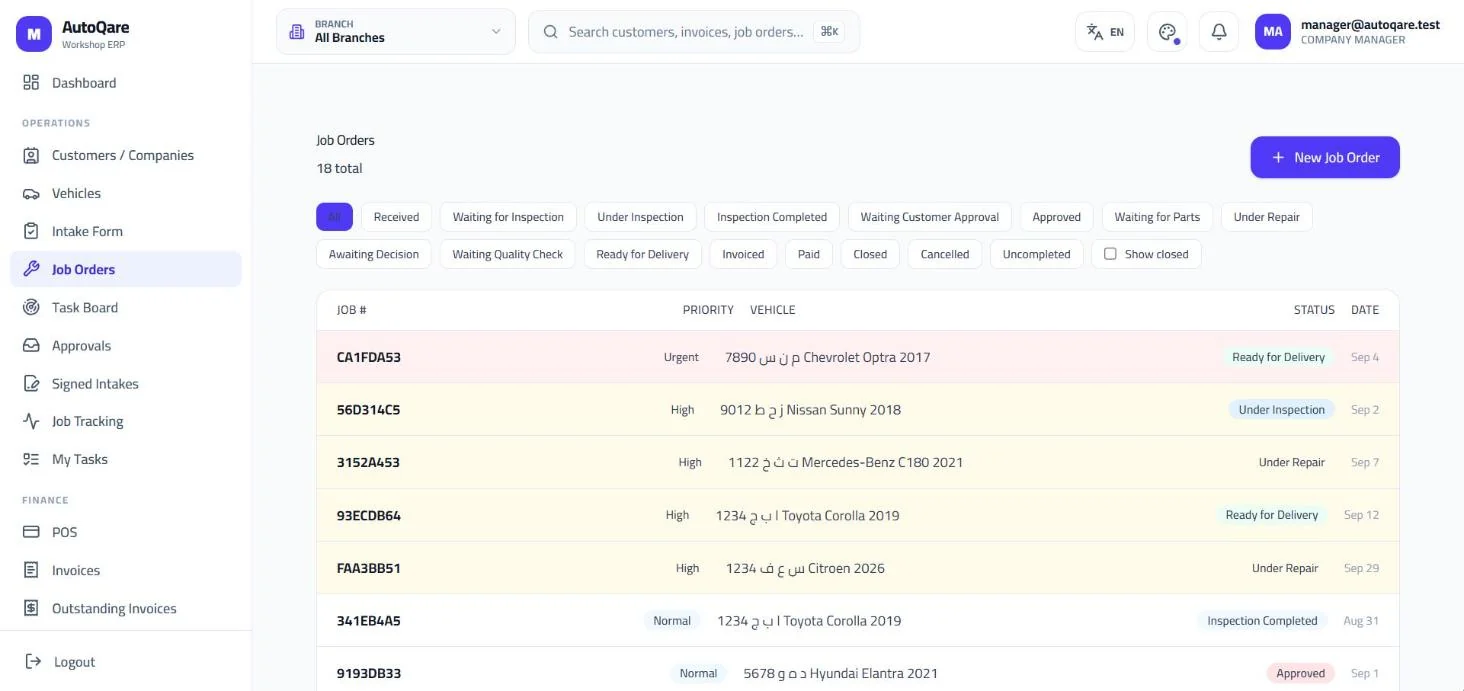
The job orders list shows every car with its status and priority, filtered by any of 16 statuses.

  • 16 statuses to filter by
  • Urgent, high and normal priority
  • Print, cancel or reopen a job
  • Search across customers, invoices and job orders
AutoQare job orders list with status filters, priority and vehicle
AutoQare, all job orders by status and priority

Invoices and payments

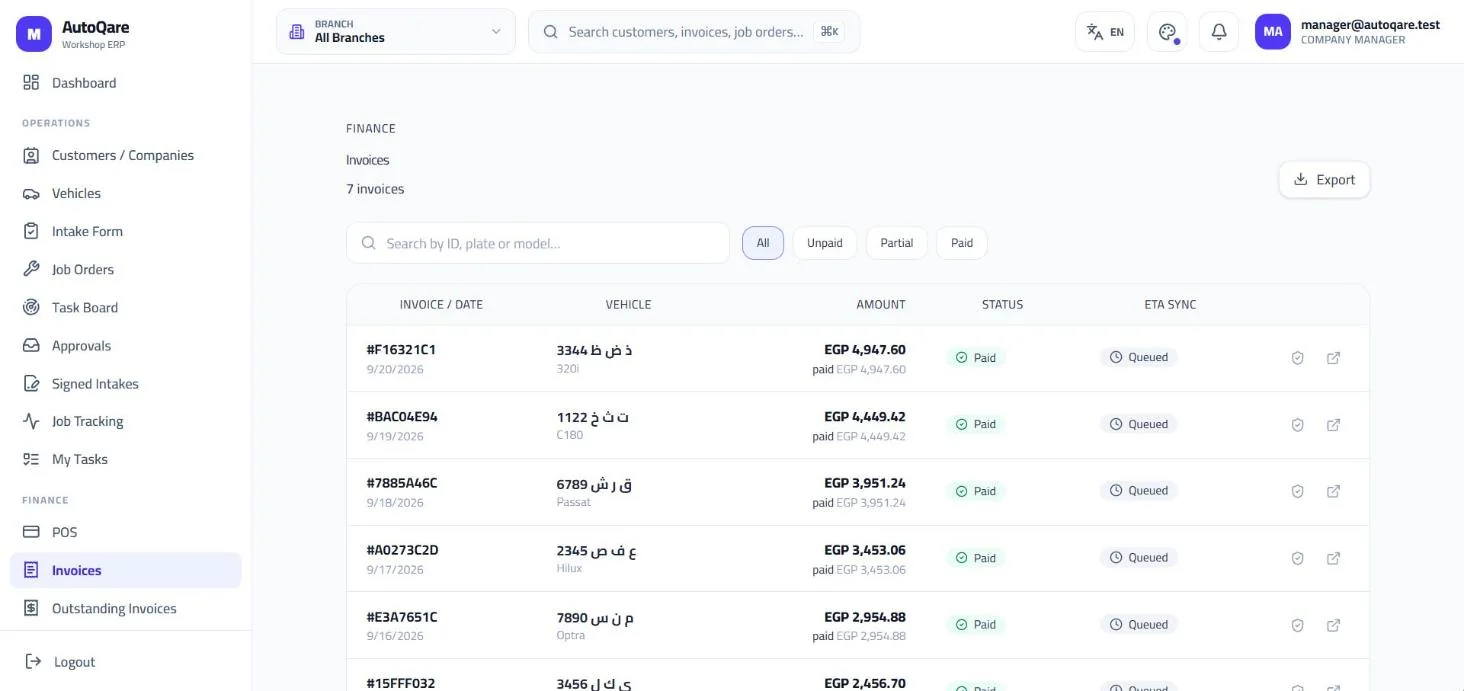
Finished work becomes an invoice, and every invoice shows whether it is paid, partly paid or unpaid.

  • Invoice created from the job order
  • Paid, partial or unpaid
  • Outstanding invoices in one list
  • Search and export
  • Point of sale for walk-in sales
AutoQare invoices list with amounts in EGP and payment status
Invoices with payment statusPaid, partial or unpaid
AutoQare, invoices with payment status

How we worked

  1. Diagnose

    We studied how service centres work and the garage software they use, and wrote down every step a car goes through.

  2. Architect

    One system for many companies, each with its own branches and roles, built around a single job order per car.

  3. Build

    Three of our co-founders built it in parallel tracks, starting in April 2026.

  4. Operate

    We run it on our own servers with monitoring, and improve it with feedback from a working service centre.

Today

AutoQare runs in Arabic and English. Book a demo to see a car go through all ten steps.

Next storyFor clinics · EgyptYour clinic never misses a patient again.All products

Let's build something

Bring us your messiest workflow.

Tell us what is not working. We will come back with a plan, a timeline and a price. No 40-page proposal needed.